Identifying Acer Drive Failures
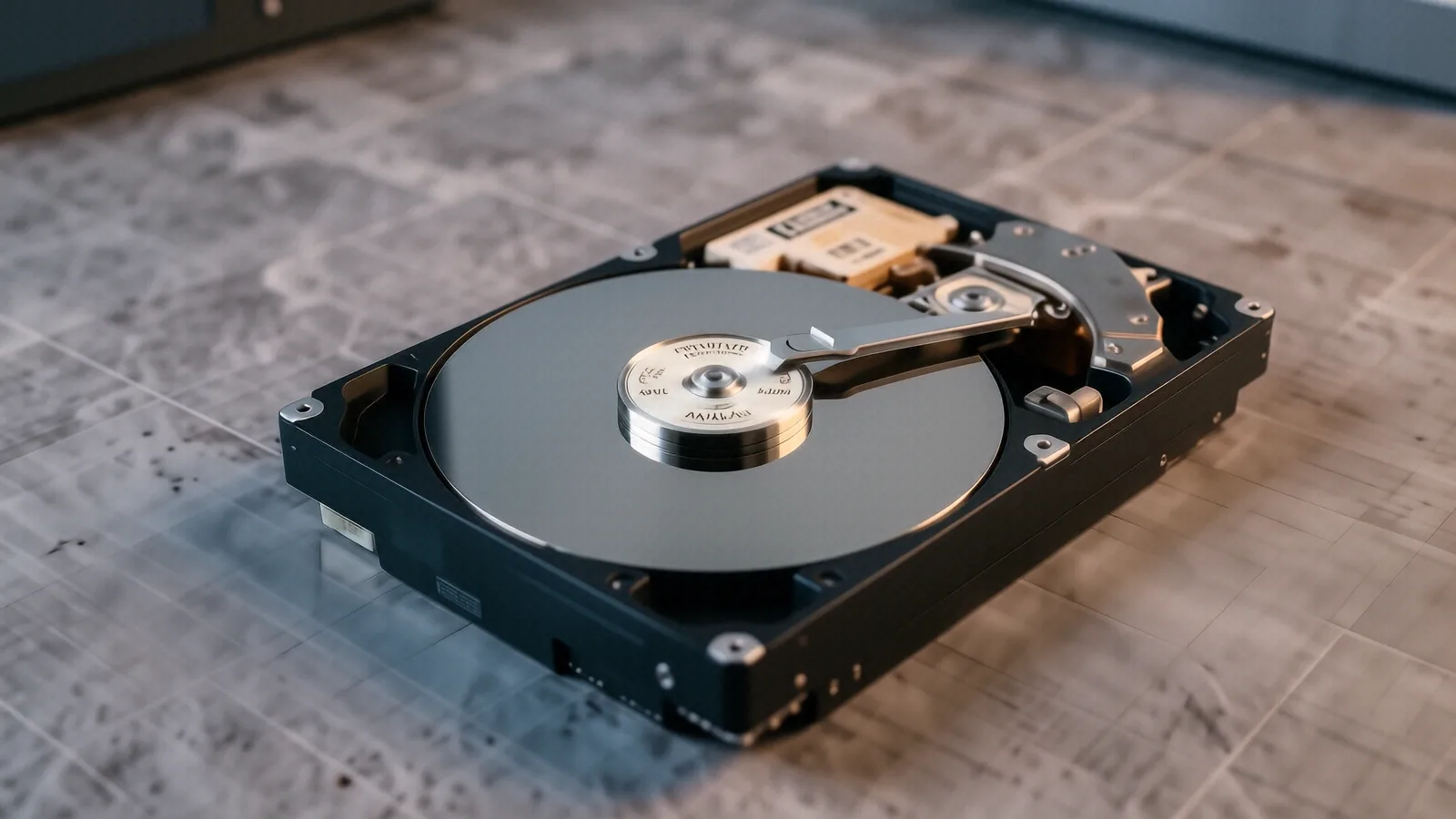
When your Acer laptop stops booting or makes a rhythmic clicking sound, the mechanical drive is likely failing. We see this frequently with older Aspire 5 models that rely on spinning platters rather than modern solid-state storage. Because these drives have moving parts, they are physically vulnerable to even minor bumps while the machine is running. If you drop your laptop or carry it in a backpack without enough padding, the read/write head can crash into the magnetic platter. This physical contact creates microscopic scratches that make data recovery significantly more difficult.
Your files might disappear suddenly. You could also experience extreme system lag when trying to open a simple folder in Windows Explorer. While a software corruption issue might cause a blue screen, a mechanical failure usually presents as a total inability to access the BIOS or the boot partition. We use specialized diagnostic tools to check the SMART data on your Acer drive to see exactly how many bad sectors have developed. If the drive reports a critical hardware failure, you need professional help immediately.
Stop trying to reboot the machine repeatedly. Every time the motor spins up, it risks further physical damage to the internal components.
Common Acer Model Issues
We work on a wide variety of Acer hardware at our Centerville shop, including several specific lines that show recurring storage patterns. The Acer Aspire series is our most common visitor for drive-related problems. These consumer-grade machines often use budget-friendly mechanical drives that don’t handle vibration well over long periods. We also see many Acer Swift 3 and Swift 5 users who experience issues when their NVMe SSDs fail due to controller errors or firmware bugs.
The Acer Nitro 5 gaming line presents a different set of challenges. Because these laptops generate significant heat during intense gaming sessions, the heat can occasionally affect the longevity of both the primary SSD and any secondary mechanical storage drives you might have installed for extra space. We also frequently service the Acer Spin series, which are 2-in-1 convertibles. These devices often have very compact internal layouts that make accessing the storage module a delicate process. Finally, we see professional-grade Acer TravelMate models coming in when their encrypted drives encounter hardware-level errors.
Each model requires a specific approach to disassembly. While an Aspire might have a simple bottom panel, a Swift model often requires removing the entire keyboard assembly to reach the internal components.
Hardware Replacement and Data Recovery
If your Acer drive has physically failed, we can usually replace the faulty unit with a much faster, more reliable NVMe SSD or SATA drive depending on what your specific motherboard supports. We don’t keep every single possible Acer part in our Centerville inventory because there are too many variations in model years and regional specifications. Instead, we order the exact matching component for your specific serial number so that you get a perfect fit. Most replacement parts arrive within 1 to 3 business days after we confirm your model requirements.
If you need your files back from a dead drive, you should look into our data recovery services. Replacing the drive is one thing, but getting your wedding photos or tax documents off a shattered platter is another task entirely. We use professional-grade hardware to attempt to bypass damaged sectors and pull as much data as possible before the drive becomes completely unreadable. If the failure is purely electronic, such as a blown capacitor on the drive’s PCB, we can sometimes perform a component-level repair.
We stand behind our technical work. Every repair we perform comes with a 90-day workmanship warranty to ensure your new hardware performs exactly as expected.
The Repair Process at Our Centerville Shop
When you bring your Acer laptop to us near the OH-48 corridor, we start with a thorough intake assessment. We don’t just swap parts and hope for the best. First, we plug your machine into a diagnostic station to verify if the issue is a failed drive, a corrupted Windows installation, or a faulty SATA/NVMe connection on the motherboard itself. This step prevents you from paying for a new drive when all you actually needed was a fresh OS installation or a loose ribbon cable reseated.
Once we confirm the hardware failure, we provide you with a clear estimate. We don’t believe in hidden fees or surprise charges once the work is finished. If we are replacing an SSD, we can often clone your old data to the new drive if the original drive is still somewhat functional. This means you won’t have to spend hours reinstalling your favorite apps or reconfiguring your settings. If the drive is too damaged for cloning, we will discuss the best path forward for professional data extraction.
The technician handles every step with precision. We use anti-static mats and grounded wrist straps because a single static discharge can kill a motherboard just as easily as a dropped hard drive.
Understanding SSD vs HDD in Acer Laptops
You might notice that your newer Acer laptop feels much faster than your old one. This is usually because modern machines like the Acer Predator or newer Swift models use NAND flash-based SSDs instead of traditional spinning HDDs. Unlike an old hard drive, an SSD has no moving parts, which makes it much more resistant to physical shocks and drops. However, SSDs are not invincible. They can still fail due to “wear out” if the drive has been written to and erased too many times, or they can suffer from controller failure where the chip that manages the data simply stops working.
If you have an older Acer Aspire with a mechanical hard drive, we highly recommend upgrading to an SSD during your repair. This single change provides the most dramatic speed boost possible for an aging computer. An NVMe SSD can be dozens of times faster than a 5400 RPM mechanical drive, which makes your boot times drop from minutes to seconds. We can perform this upgrade and move your data over so that your laptop feels like a brand-new machine.
Upgrading is often more cost-effective than buying a new laptop. It extends the life of your current hardware while providing a noticeable performance jump.
Why Professional Diagnostics Matter
It is tempting to try and fix an Acer laptop by following a YouTube tutorial or buying a cheap drive online. However, many Acer models use proprietary screw lengths or specific thermal pads that are easy to mess up if you aren’t careful. Using the wrong screw in a chassis can actually puncture the motherboard or damage the battery casing. Furthermore, if you attempt a DIY data recovery and accidentally overwrite your files with new data, a professional might never be able to get them back.
We have twelve years of experience sitting at the repair bench. We know exactly how much tension a plastic clip on an Acer Spin can take before it snaps. We also understand the specific error codes that Acer’s BIOS throws when it detects a failing storage controller. This expertise allows us to find the root cause quickly so we aren’t wasting your time or money on unnecessary parts.
We treat your data with the same respect we would want for our own. Your privacy is a priority throughout the entire diagnostic and repair process.
Preparing Your Device for Repair
Before you drive down to our location at 264 N. Main Street, Suite C, there are a few things you should do to make the process smoother. If your laptop still turns on, try to back up any extremely critical files to a cloud service or a USB thumb drive immediately. If the machine is completely unresponsive, don’t worry; just bring it in as-is. We also recommend removing any external peripherals like USB mice, SD cards, or dongles so they don’t get lost during the intake process.
If your Acer laptop is still under a manufacturer warranty, please be aware that bringing it to a third-party shop may void that coverage. Most people come to us after their factory warranty has expired because they want faster service and more affordable pricing than the big-box retailers offer. We can work with you to determine if a repair is the best financial move for your specific situation.
Bring your charger along with the laptop. Sometimes a “dead” drive is actually just a battery or power adapter that isn’t delivering enough voltage to spin the motor.
Drop your Acer laptop off at our Centerville office during our standard business hours, Monday through Friday from 10am to 7pm.