Getting Your Laptop Fixed Near Springboro
If you are driving down OH-725 from Springboro to reach us, the trip is about 15 to 20 minutes. We are located just a short drive south of the Austin Boulevard area and the historic downtown district. While many residents near Armstrong Park or the local schools might look for immediate tech help in their own backyard, most professional-grade repairs require a specialized bench. You won’t find a dedicated micro-soldering station at a local big-box retailer.
We handle the complex stuff.
Most people in Springboro reach out to us when the standard “turn it off and back on” advice fails. When your MacBook Pro Retina won’t boot past the Apple logo, or your Dell XPS 13 is stuck in a continuous restart loop, you need more than a retail clerk with a checklist. We provide actual technical diagnostics that go beyond simple software resets.
Why Big-Box Stores Fall Short for Serious Repairs
You might be tempted to drive toward Miamisburg or Kettering to visit a Staples or a Geek Squad location because they seem convenient. However, these large chains often operate on a “replace, don’t repair” philosophy. If your HP Pavilion 15 has a failing NVMe SSD or a broken hinge, a big-box technician will likely tell you that the entire unit needs to be replaced. This approach is expensive for you and easy for them.
We prefer to look at the individual components.
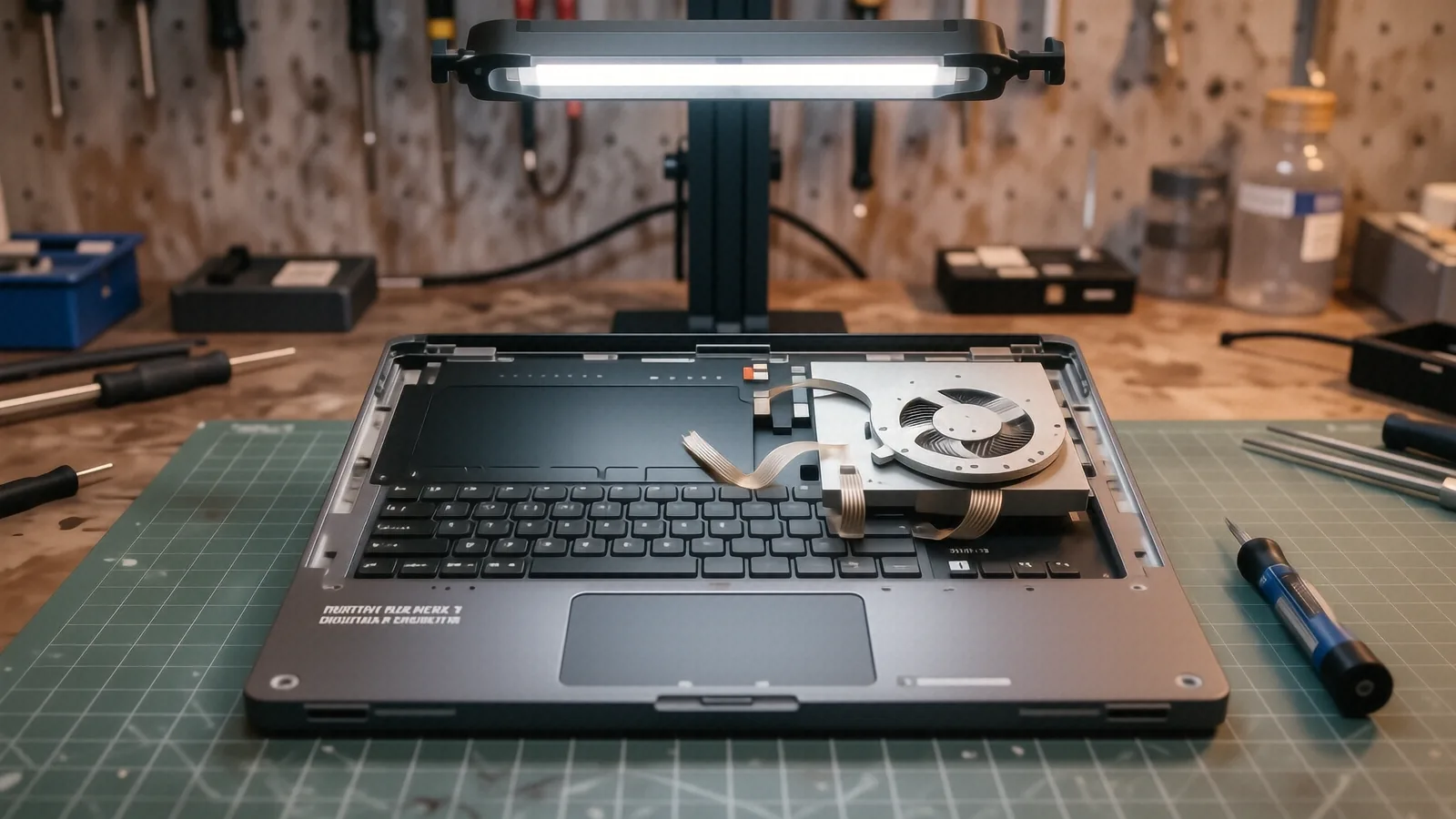
If a single ribbon cable has wiggled loose from the digitiser on your Surface Laptop 5, we can often reseat it rather than suggesting a whole new machine. A technician at a major retail chain rarely has the tools or the training to open a device and perform component-level work. They rely on shipping your laptop to a central depot, which can take two to three weeks while your data sits in a warehouse somewhere. We keep your hardware right here on our bench in Centerville.
Local service offers transparency that national chains cannot match. When you drop off a ThinkPad T-series at our shop on N. Main Street, you are talking to the person who will actually hold the screwdriver. You won’t have to repeat your problem to three different customer service representatives before anyone looks at the motherboard. We provide a direct line of communication so you know exactly what we found during our diagnostic phase.
Common Laptop Hardware Failures We See Daily
Hardware doesn’t just break; it degrades over time due to heat, dust, or physical stress. One of the most frequent issues we see involves thermal management in thinner laptops like the Dell XPS series. Because these machines pack high-performance parts into tiny chassis, they rely heavily on a vapor chamber or copper heat pipes to move heat away from the GPU die. If the thermal paste has dried out or the fans are clogged with debris, your laptop will throttle its speed or shut down entirely to prevent permanent damage.
Heat is a silent killer.
We also see a massive amount of battery swelling in older MacBook Pro models. When a lithium-ion battery begins to fail, it can expand and exert massive pressure on the trackpad or the keyboard assembly. If you notice your trackpad feeling “stiff” or your laptop casing bulging near the bottom, stop using it immediately. This is a physical safety hazard that requires professional handling to avoid a fire or further structural damage to your device.
Screen and Display Issues
Not every broken screen requires a full replacement, though that is the most common fix. Sometimes the issue lies with the backlight inverter or a damaged video cable running through the hinge. If you see flickering lines or strange colors on your HP Pavilion, we check the connection points first. We use specialized testing equipment to determine if the fault lies in the LCD panel itself or the integrated graphics chip on the motherboard.
Storage and Data Recovery
If your laptop is running incredibly slowly, the culprit is often a failing drive. Modern laptops use NVMe SSDs which are much faster than old spinning hard drives, but they still have a finite lifespan. We check SMART data to see how many write cycles your drive has left. If we see high error rates, we prioritize getting your files off that drive before it becomes completely unreadable.
Software Troubleshooting and System Optimization
Sometimes the hardware is perfectly fine, but the operating system has become a cluttered mess. A Windows laptop might feel sluggish because of a corrupted registry, a bloated driver stack, or malware running in the background. We don’t just run an antivirus scan and call it a day. We look at the Task Manager to see which processes are hogging your CPU cycles and check the Event Viewer for specific error codes that point to driver conflicts.
Software fixes can be just as vital as hardware repairs.
If you are a Mac user, we use Activity Monitor to hunt down runaway processes that are draining your battery life. We also handle OS reinstalls and firmware updates that can resolve deep-seated compatibility issues. If your laptop is struggling with a specific network issue, we might run an ipconfig /flushdns command or check your wireless card drivers to ensure you aren’t losing connection due to outdated software.
The Value of Professional Diagnostics
A professional diagnostic is the foundation of any successful repair. When you bring a device to us, we don’t guess; we test. We use multi-meters to check voltage rails on the motherboard and specialized software to stress-test your components. This ensures that when we tell you a part needs replacing, we are certain about it.
Accuracy saves you money in the long run.
Imagine paying for a new battery only to find out the real problem was a faulty charging port. That is a mistake a generalist might make, but we aim for precision in every single ticket. We walk you through our findings so you can make an informed decision about whether the repair cost makes sense relative to the age of your laptop.
Protecting Your Data During Repair
We know that your laptop contains your entire life: photos, tax documents, and work projects. While we take every precaution to protect your privacy, we always recommend that you back up your data before bringing any device in for service. If your machine won’t turn on at all, don’t worry. We have specialized tools to attempt data extraction from failing drives so you can recover what matters most.
Speed and Turnaround Times
We know that being without a computer is a major disruption to your life. Whether you are a student or a professional working from home near the Springboro area, you need your tech back quickly. Our goal is to provide a turnaround time of 1-3 business days for most common repairs. While complex motherboard repairs might take longer, we keep you updated every step of the way so you aren’t left wondering about the status of your machine.
Preparing Your Device for Drop-Off
Before you make the drive down to Centerville, there are a few things you can do to help us work faster. First, please try to back up as much data as possible if the laptop is still functional. Second, remove any peripherals like USB dongles, SD cards, or external mice. Finally, write down any specific symptoms you have noticed, such as “it makes a clicking sound when I open Chrome” or “the screen flickers only when I move the lid.”
Specific details help us solve problems faster.
The more information you provide, the less time we spend in the “guessing” phase of the repair. We want to get straight to the bench and start fixing. We are located at 264 N. Main Street, Suite C, Centerville, OH 45459. We are open Monday through Friday from 10am to 7pm.
Bring your laptop by the shop whenever you are ready.