Data Recovery Cost Factors
We don't publish shop-prices online because every job is different. Below: what affects the cost, plus what we charge to find out — nothing. Free diagnostic before any work begins.
The Reality of Data Recovery Pricing
When you realize your files are gone, your first instinct is to look for a price tag online. You want to know if a failed Seagate external drive or a corrupted MacBook Pro SSD will cost $200 or $2,000. While it is tempting to hunt for a flat rate, data recovery doesn’t work like buying a new charging cable or a replacement keyboard. Every recovery job is a unique surgical procedure performed on a piece of hardware that has already failed.
The price fluctuates based on how the drive died. A software glitch that hides your folders is much easier to fix than a mechanical failure where the internal platters are physically scratched. We cannot tell you a final number until we open the device and see the actual damage.
Technical Factors That Drive Up the Bill
Several specific hardware and software variables dictate how many hours a technician spends at the bench. If we can pull your data using a simple software bypass, the cost stays relatively low. However, if we have to enter a cleanroom environment, the price increases significantly.
Mechanical vs. Logical Failures
Logical failures happen when the data is physically there, but the file system is scrambled. This might occur after an interrupted Windows update or a sudden power surge that corrupts the partition table on your WD My Passport. Because we are just rebuilding the map to find your files, these jobs are generally faster.
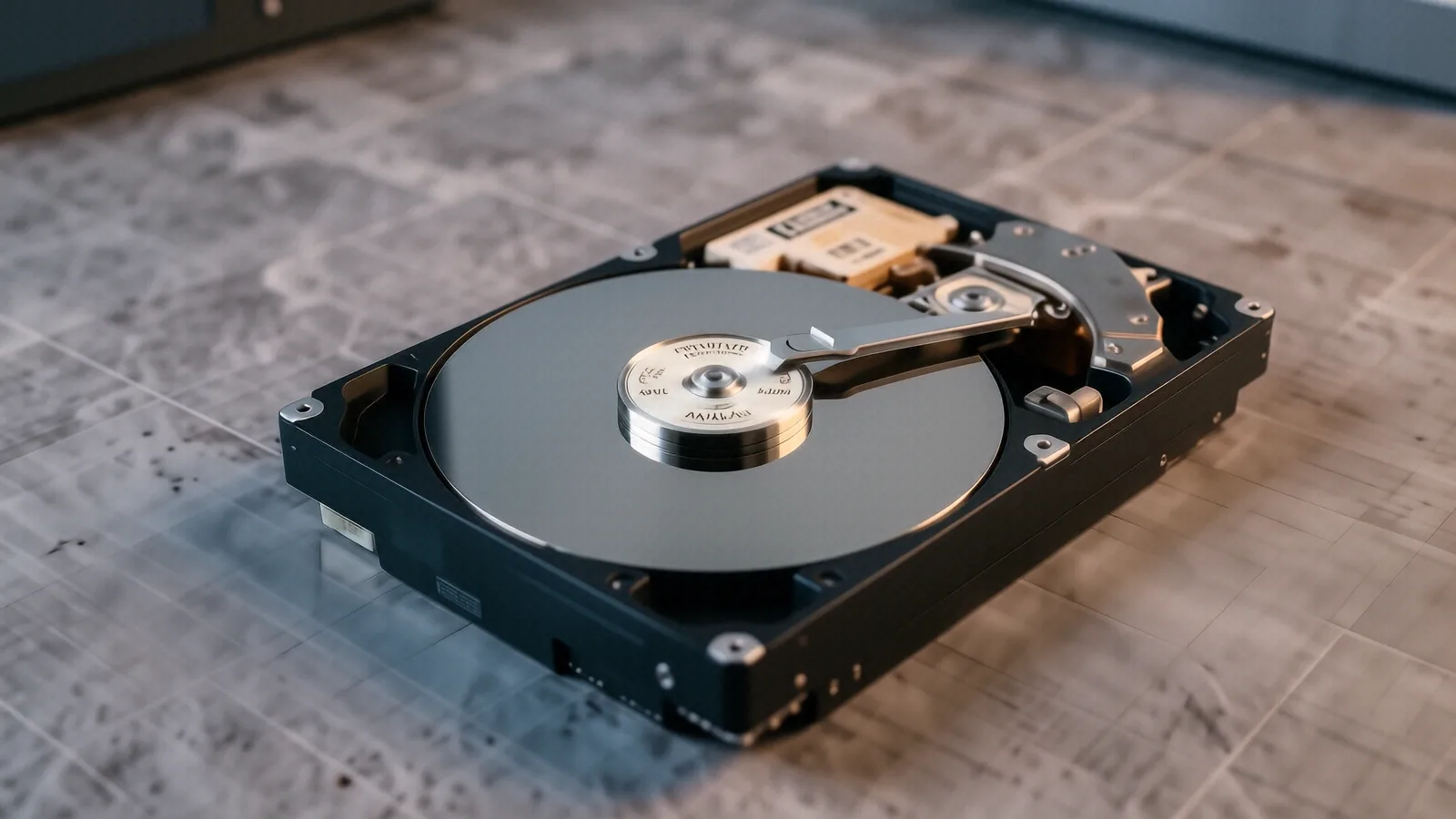
Mechanical failures are a different beast entirely. If your laptop makes a clicking or grinding sound, the read/write heads have likely crashed into the spinning platters. This requires us to disassemble the drive in a controlled cleanroom environment so that dust doesn’t ruin the magnetic coating on the disks. Because of the specialized equipment and the high risk involved, mechanical recoveries are always more expensive than software-based ones.
Drive Architecture and Encryption
The way your data is stored changes everything. Older spinning hard drives (HDDs) are relatively straightforward to recover because the data sits on physical platters that we can access. Modern laptops, like a Dell XPS 13 or a newer MacBook Pro, use NVMe SSDs which present much harder challenges.
SSDs use “Trim” commands that actively erase deleted data to keep the drive fast. If you accidentally deleted a folder and then kept using the laptop, the drive might have already wiped those cells forever. Furthermore, if your drive uses hardware-level encryption like BitLocker or FileVault, we have to bypass those security layers before we can even see your files. This extra layer of decryption adds significant time to the diagnostic process.
Physical Damage and Component Replacement
Sometimes the problem isn’t the storage medium itself, but the electronics that control it. A spilled drink on a Surface Laptop 5 can corrode the PCB (Printed Circuit Board), making the drive invisible to your computer. In these cases, we have to find an identical donor board and swap the controller chip to get the drive spinning again.
Other factors include:
- The number of platters inside a high-capacity desktop HDD.
- Whether the device was submerged in salt water versus fresh water.
- The presence of proprietary firmware used by enterprise-grade drives.
- Physical damage to the USB connector or the SATA interface.
- The difficulty of bypassing a damaged controller chip on an SSD.
The Complexity of RAID and NAS Arrays
If you run a home server or a small business NAS (Network Attached Storage) using multiple drives in a RAID configuration, the cost scales with the complexity. We aren’t just recovering one drive; we are reconstructing a virtualized volume across several disks. If two drives in a RAID 5 array fail simultaneously, the mathematical reconstruction becomes an intensive, multi-day task.
Why We Quote Per-Job Instead of Posting Prices
You might notice that many big-box retailers won’t give you a price over the phone. This isn’t because they are being secretive; it is because they don’t actually know what is wrong with your device yet. A technician cannot look at a broken ThinkPad T-series and tell if the issue is a simple loose ribbon cable or a catastrophic failure of the NAND flash chips.
We perform a deep diagnostic first to avoid giving you an estimate that ends up being $500 higher than expected. If we told you it would cost $300, but then discovered a cracked platter during the teardown, we would be doing you a disservice by not being honest about the complexity. Every machine we see at our Centerville shop is different.
National surveys and industry reports often suggest that data recovery averages anywhere from $500 to $1,500 for standard mechanical failures. While those numbers provide a general ballpark, they don’t account for your specific hardware or the level of corruption present. We prefer to give you a firm, binding quote after we have seen the SMART data and assessed the physical state of the components.
When Recovery Isn’t Worth the Investment
There is an honest truth in this industry that many shops won’t tell you: sometimes, it isn’t worth fixing. If you have a five-year-old external drive containing nothing but temporary game files or cached browser data, the cost of professional recovery might exceed the value of the data itself.
We will always be upfront with you if the recovery looks unlikely or if the price is going to be astronomical compared to what you are trying to save. If we see that a drive has suffered “head crash” damage on the platters themselves, the success rate drops significantly. We don’t want you spending hundreds of dollars on a project that has a 5% chance of working.
Your goal should be to weigh the emotional or financial value of the files against the technical reality of the hardware. If those photos represent twenty years of family history, the cost is almost always worth it. If it is just a collection of downloaded movies, you might be better off starting fresh with a new NVMe SSD.
Getting a Real Number for Your Situation
Stop guessing how much your data loss will cost by looking at generic online calculators. Those tools cannot see your hardware or understand the specific failure mode of your device. To get an accurate number, you need a professional to physically inspect the drive and run diagnostic software to see what is actually recoverable.
If you are located near Centerville or anywhere in the Dayton area, bring your device to our shop at 264 N. Main Street, Suite C. We will take a look at your hardware, determine if it is a logical or mechanical issue, and provide you with a clear, written quote. You won’t have to pay for the recovery unless we successfully retrieve your files.
Give us a call at (937) 660-4819 or stop by during our regular hours, Monday through Friday from 10am to 7pm. We can start the diagnostic process immediately so you can decide how you want to proceed.