Laptop Motherboard Repair Cost Factors
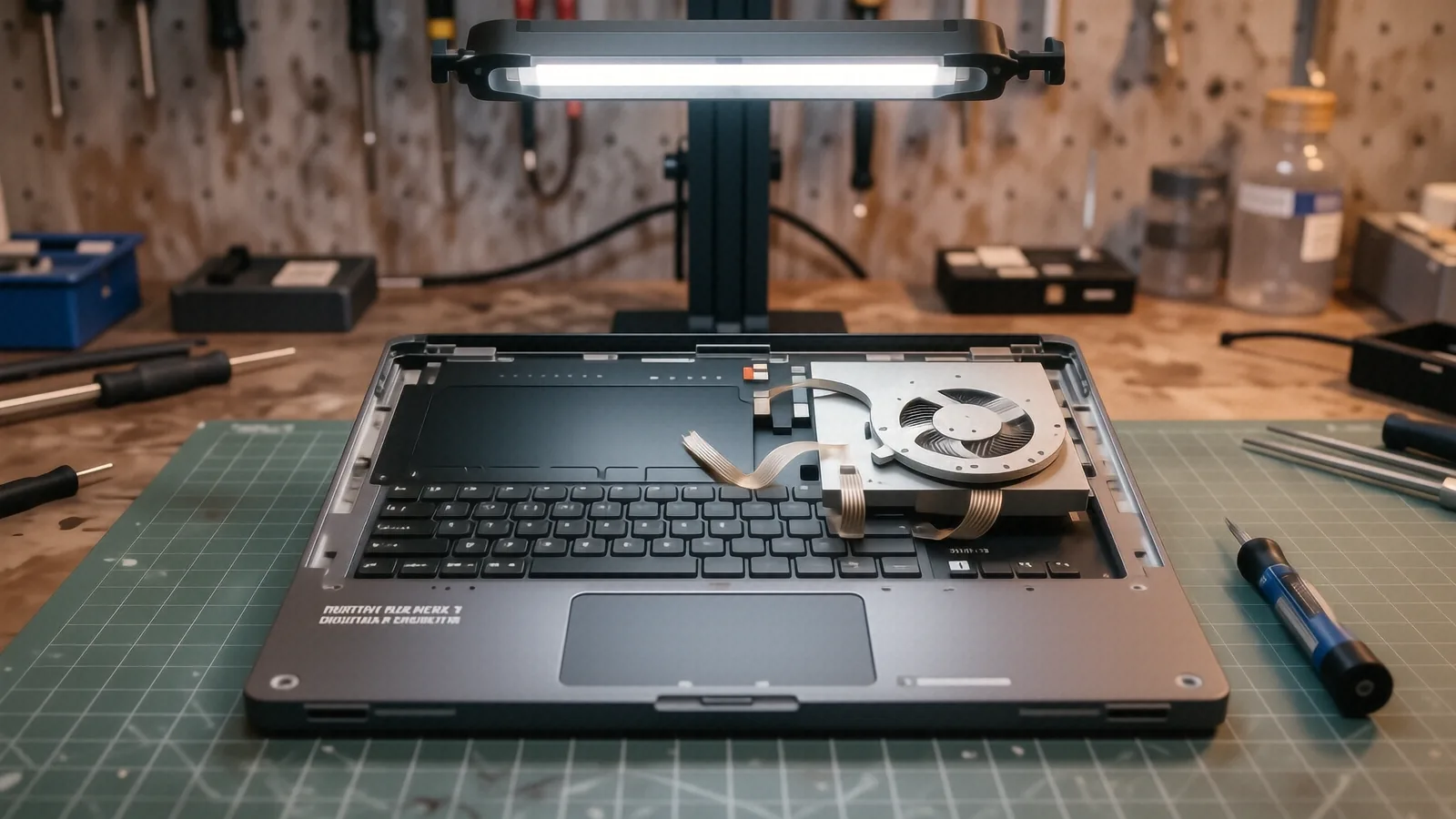
We don't publish shop-prices online because every job is different. Below: what affects the cost, plus what we charge to find out — nothing. Free diagnostic before any work begins.
Why motherboard repairs vary so much
When you bring a MacBook Pro or a Dell XPS 13 into our shop on N. Main Street, the first thing you notice is that no two machines are identical inside. A motherboard isn’t just a single green slab of fiberglass; it is a dense, complex highway of microscopic copper traces, tiny capacitors, and integrated circuits. Because every component serves a specific purpose in the power delivery or data processing chain, the cost to fix one failure can vary wildly. You might have a simple blown capacitor that costs very little in parts, or you might have a cracked GPU die that makes the machine nearly impossible to salvage.
We don’t publish a flat rate for motherboard work because it would be dishonest. If I told you every repair was $300, I would be lying to you about the reality of micro-soldering and component sourcing. A repair on a high-end ThinkPad T-series might require specialized thermal paste and specific voltage regulators that aren’t available at a local hobby shop. We prefer to look at your specific board before we talk numbers.
The complexity of the circuit determines the labor time.
The primary factors driving your repair estimate
Several technical variables dictate how much time I spend at the bench and how much we spend sourcing parts. While some issues are straightforward, others require surgical precision under a microscope.
Component scarcity and part type
If your HP Pavilion 15 has a failure in a standard power management chip, we can usually find a replacement quickly. However, if the damage is located within a proprietary chipset that Apple or Microsoft doesn’t sell to third-party shops, the situation changes. We often have to source these parts from specialized distributors or harvest them from donor boards. When a part is rare, the cost goes up.
The level of micro-soldering required
Some repairs involve “surface mount” components that are easily accessible. Other jobs require us to perform heavy-duty BGA (Ball Grid Array) reballing. This process involves heating the entire processor or chip to hundreds of degrees so we can lift it, clean the old solder, and lay down new microscopic spheres of tin before reseating it. This is highly skilled labor that takes several hours of focused work.
Damage depth and “collateral” issues
A liquid spill is the most common reason a laptop visits us in Centerville. If you spilled water, we might just be cleaning off corrosion using an ultrasonic cleaner. If you spilled soda or coffee, the sugar and acid often eat through multiple layers of the PCB (Printed Circuit Board). When one component shorts out, it frequently sends a surge of voltage down the line to kill three other components. We have to find every single “wounded” part before we can safely power the board back on.
Integrated vs. modular architecture
Modern laptops are moving toward extreme integration. In older machines, you could sometimes swap out a dedicated graphics card or a Wi-Fi module easily. On many newer Surface Laptops or ultra-thin MacBooks, the RAM and the SSD are soldered directly onto the motherboard. If a single memory chip fails on one of these devices, we can’t just plug in a new stick; we have to replace the entire integrated circuit or perform a chip-level swap.
The complexity of disassembly
Some laptops are designed like tanks, while others are built like delicate puzzles. To reach the motherboard on a ruggedized laptop, I might only need to remove ten screws. On a high-end Dell XPS, I might have to carefully peel back a digitiser, disconnect dozens of fragile ribbon cables, and remove the entire keyboard assembly just to see the board. Every minute spent on disassembly is time that must be accounted for in the final quote.
Diagnostic time and testing requirements
We don’t just fix a part and hand it back to you. After a repair, we run extensive stress tests using software to monitor SMART data, thermal fluctuations, and voltage stability. We need to ensure that the heat from the vapor chamber isn’t causing the new component to fail under load. This validation process is essential for a reliable repair.
Why we quote per-job instead of listing prices
You might see websites claiming they can fix any motherboard for a flat $150. Those sites are usually selling you a refurbished board rather than actually repairing your original hardware. At Dayton PC Repair, our goal is to save your specific data and your specific machine.
Every machine presents a unique puzzle. When I open your laptop, I am looking at the specific traces, checking for burnt smells, and measuring resistance with a multimeter. I cannot know if your motherboard needs a $5 capacitor or a $200 controller chip until I actually see it. We provide a quote after a thorough diagnostic because that is the only way to give you an honest number.
National surveys often suggest that motherboard repairs fall within a broad range, sometimes between $200 and $600 depending on the device. However, these averages don’t account for the specific nuances of your model or the current market price of specialized components. We prefer to tell you exactly what your machine needs rather than giving you a guess based on someone else’s laptop.
We value your time and your budget.
When is a repair not worth the cost?
I will be the first person to tell you if your laptop is a “total loss.” There is no pride in taking a customer’s money for a repair that won’t last or that costs more than a new machine would.
If you have an aging budget-tier laptop with a cracked motherboard, the cost of my labor and the parts will likely exceed the current resale value of the computer. In those cases, I will explain why it makes more sense to put that money toward a new device instead. We also look at the “life expectancy” of the remaining components. If a laptop has been heavily abused or has significant heat damage across the entire board, a single component repair might just be a temporary band-aid.
We focus on high-value repairs where the machine still has years of life left in it. If you own a premium MacBook Pro Retina or a high-end gaming rig with a dedicated GPU, those are usually prime candidates for professional board-level repair. For those machines, spending a few hundred dollars to save a thousand-dollar device is a smart financial move.
We aim for transparency, even when the news is bad.
How to get an accurate estimate for your repair
If you suspect your motherboard has failed—perhaps because your laptop won’t turn on, the screen stays black despite the fans spinning, or it randomly shuts down during heavy tasks—don’t guess. The more information you can provide, the faster we can help you.
When you call us at (937) 660-4819, please have your exact model number ready. You can usually find this on a sticker on the bottom of the laptop or by checking the original box. Knowing if it is an HP Pavilion 15 versus an HP Envy makes a massive difference in how we approach the internal layout. Tell us exactly what happened: did it drop, did it get wet, or did it just stop working during a Windows update?
The best way to get a real number is to bring the device to our shop at 264 N. Main Street, Suite C, in Centerville. We will perform a professional diagnostic to identify the exact point of failure. Once we know what is broken, we will contact you with a detailed quote before any work begins. You can then decide if you want to proceed with the repair or if you’d rather move on to a new machine.
Stop by or call us today to schedule your diagnostic.