Recovering Lost Files Near Beavercreek
If you are driving down I-675 South from Beavercreek toward Centerville, you will find our shop about 15 minutes away. We are located just off Far Hills Avenue at 264 N. Main Street, Suite C. Most of our customers come to us from the residential areas near Beavercreek Greens or the busy commercial zones around the Fairfield Commons area. While you might see big-box retailers like Best Buy or Staples in the Beavercreek area, they generally do not perform actual data recovery. They usually act as a middleman that ships your drive to a massive warehouse, which adds weeks of waiting time and increases the risk of handling errors.
We handle the hardware ourselves. When you bring a failing Western Digital external drive or a corrupted MacBook Pro SSD to our bench, it stays in our shop. We don’t just send a ticket to a corporate headquarters in another state because we believe local technicians provide better oversight for sensitive information. You get direct communication from the person actually looking at your files.
Your data is fragile. One wrong move can turn a recoverable file into digital scrap.
Why Drives Fail and What We Can Do
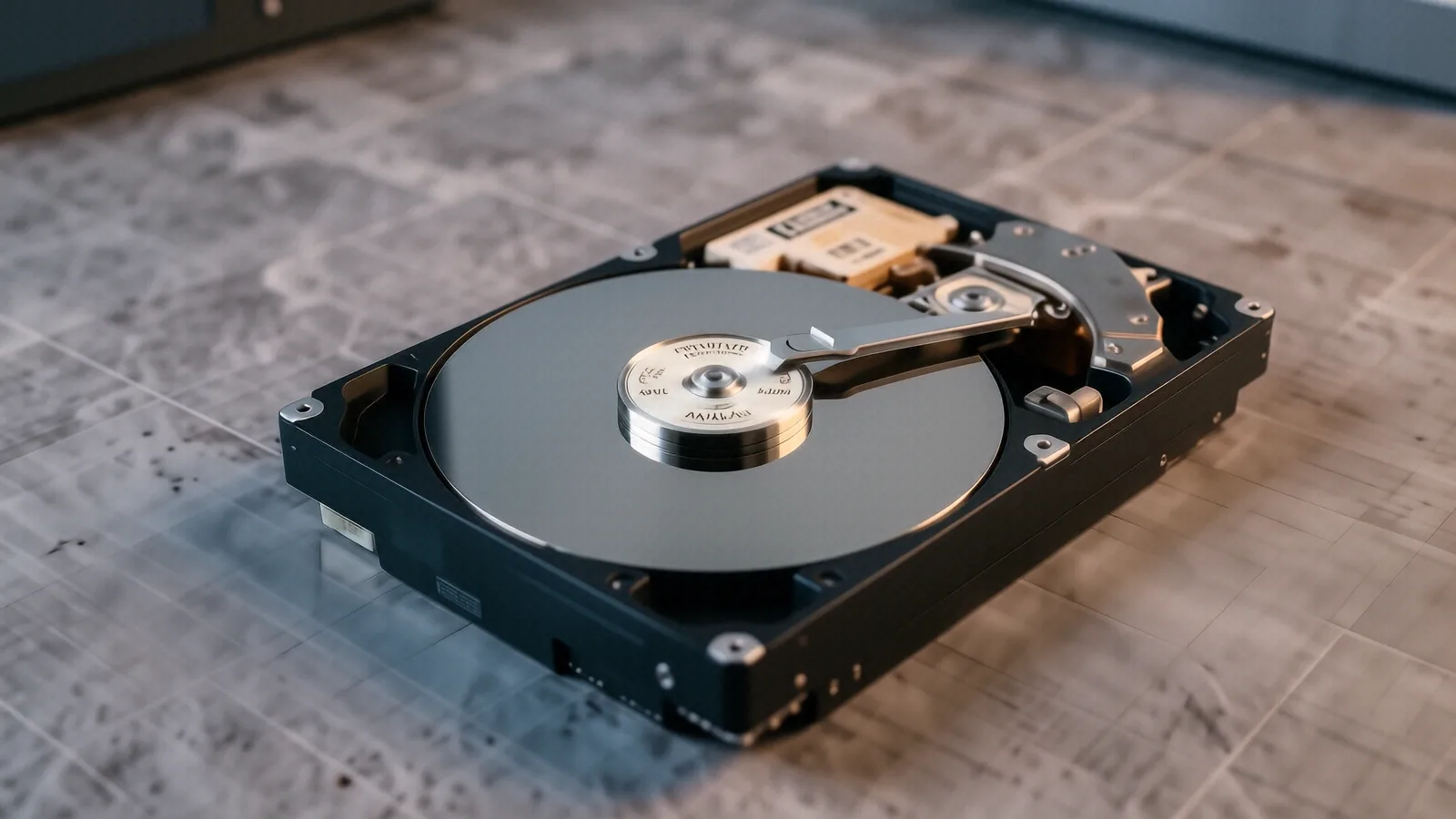
Hard drives and SSDs fail for very different reasons. If you own an older mechanical HDD, you might hear a rhythmic clicking sound or a grinding noise that sounds like metal on metal. This usually indicates a physical head crash where the read/write head has physically contacted the spinning platters inside the casing. When this happens, you must stop using the drive immediately so that you do not scratch the magnetic coating off the disks. We use specialized tools to stabilize these drives in a controlled environment.
Solid State Drives (SSDs), like those found in a modern Surface Laptop 5 or a Dell XPS 13, fail much more silently. You might notice your computer freezing during a file transfer or seeing a “Blue Screen of Death” when you try to open a specific folder. This often happens because the NAND flash cells have reached their write endurance limit or the controller chip has malfunctioned. Because SSDs use electrical charges rather than magnetic platters, the recovery process involves different logic and software tools.
We look at several failure points:
- Logical errors caused by accidental formatting or file system corruption.
- Physical damage from dropped laptops or liquid spills on a ThinkPad T-series.
- Controller failure where the drive is powered on but not recognized by the BIOS.
A typical recovery job starts with an assessment of the SMART data to see how many bad sectors are present. If the drive is physically dying, we prioritize imaging the media before any further stress is applied. We know that every minute a failing drive stays powered on, the chance of permanent data loss increases significantly.
Local Service for Wright-Patterson Families
Many of our clients live in Beavercreek or Fairborn and work at Wright-Patterson Air Force Base. We understand that for many of you, your data isn’t just about family photos; it involves critical research, government contracts, or specialized engineering files. While big-box stores treat every customer like a generic transaction number, we treat our neighbors with the professional respect their work requires. We know that a lost spreadsheet or a corrupted CAD file can impact your career or your project deadlines.
Security is our primary concern during the recovery process. When you drop off a device at our Centerville location, your data stays within our controlled environment. We do not use unencrypted cloud uploads to move your files, which is a common practice among larger, less specialized repair chains. We maintain a strict chain of custody for every NVMe SSD and mechanical drive that hits our workbench.
Privacy matters more than anything else. You can trust us with your sensitive documents because we operate as a small, family-owned business rather than a massive corporation.
The Reality of DIY Recovery Software
You might be tempted to download a “free” data recovery tool you found on a search engine. While some software works well for simple accidental deletions on a healthy USB stick, it can be catastrophic for a failing drive. If your drive is clicking or showing signs of physical distress, running a software scan will likely kill the device entirely. The intense read/write operations required by those programs put massive thermal and mechanical stress on the components.
If you have a corrupted partition on a healthy drive, software might save the day. However, if the hardware itself is struggling to maintain a connection, the software will just keep retrying failed sectors until the motor burns out or the heads crash. We see many “do-it-yourself” attempts arrive at our shop after the user has already made the situation much worse. It is often better to stop immediately and seek professional help before the damage becomes irreversible.
We use professional-grade hardware imagers that can handle unstable drives. These tools allow us to read data at a very low level, skipping over bad sectors without causing the drive to time out or reset. This controlled approach is what separates a successful recovery from a total loss.
Cost and Timeline Expectations
Data recovery is not a one-size-fits-all service, so we cannot give you a single flat price over the phone. The cost depends heavily on whether we are dealing with a logical issue or a physical hardware failure. A logical recovery, such as fixing a corrupted file system after a sudden power loss, is generally faster and less expensive. Physical repairs that require opening the drive casing in a cleanroom environment involve much higher costs due to the specialized labor and equipment required.
You should expect a diagnostic period of 1 to 3 business days for most standard cases. We provide a clear estimate after we have analyzed the drive and determined what is actually possible. We do not charge for the recovery if we cannot find your data, which provides you with peace of mind during a stressful time. You will not be surprised by hidden fees halfway through the process because we believe in transparent communication.
Our pricing structure covers:
- The initial diagnostic and assessment of the drive’s health.
- The specialized labor required to bypass failing components.
- The secure transfer of recovered files to a new, healthy drive provided by you.
Preparing Your Device for Drop-off
When you decide to bring your device to us, please try to bring as much information as possible. If you know exactly when the error occurred, tell us. Knowing if the laptop was dropped, if coffee was spilled on it, or if a Windows Update was running during the crash helps us narrow down the cause. This information can save us hours of diagnostic time and help us choose the right recovery path from the start.
If you are bringing an external drive, please bring the specific USB cable or docking station you normally use. Sometimes a “dead” drive is actually just a faulty ribbon cable or a broken SATA-to-USB bridge inside the enclosure. We can often solve these problems by bypassing the enclosure and connecting directly to the drive’s interface.
Bring your device to our shop at 264 N. Main Street, Suite C, Centerville, OH 45459. We are open Monday through Friday from 10am to 7pm. If you have questions before driving down from Beavercreek, call us at (937) 660-4819.