Getting Your Files Back Near Bellbrook
If you live near Sugarcreek State Park or the historic downtown Bellbrook area, you are only about 15 minutes away from our repair bench. We are located just south of you on Main Street in Centerville, which you can reach easily by taking OH-48 south through Canaan. While there are plenty of retail options along the busier corridors near Beavercreek or Kettering, most of them don’t actually perform deep data recovery. You might find a big-box store that offers a basic “software fix,” but they usually just hand your drive off to a third-party lab in another state.
We handle the diagnostics ourselves right here at our shop. When your external drive stops mounting or your MacBook Pro Retina shows a flashing folder icon, you need a technician who understands the hardware. Most big-box retailers use a scripted approach because their employees are generalists rather than specialists. We focus on the actual physical and logical state of your storage media.
Your data is often more valuable than the device itself.
Why Local Hardware Expertise Matters
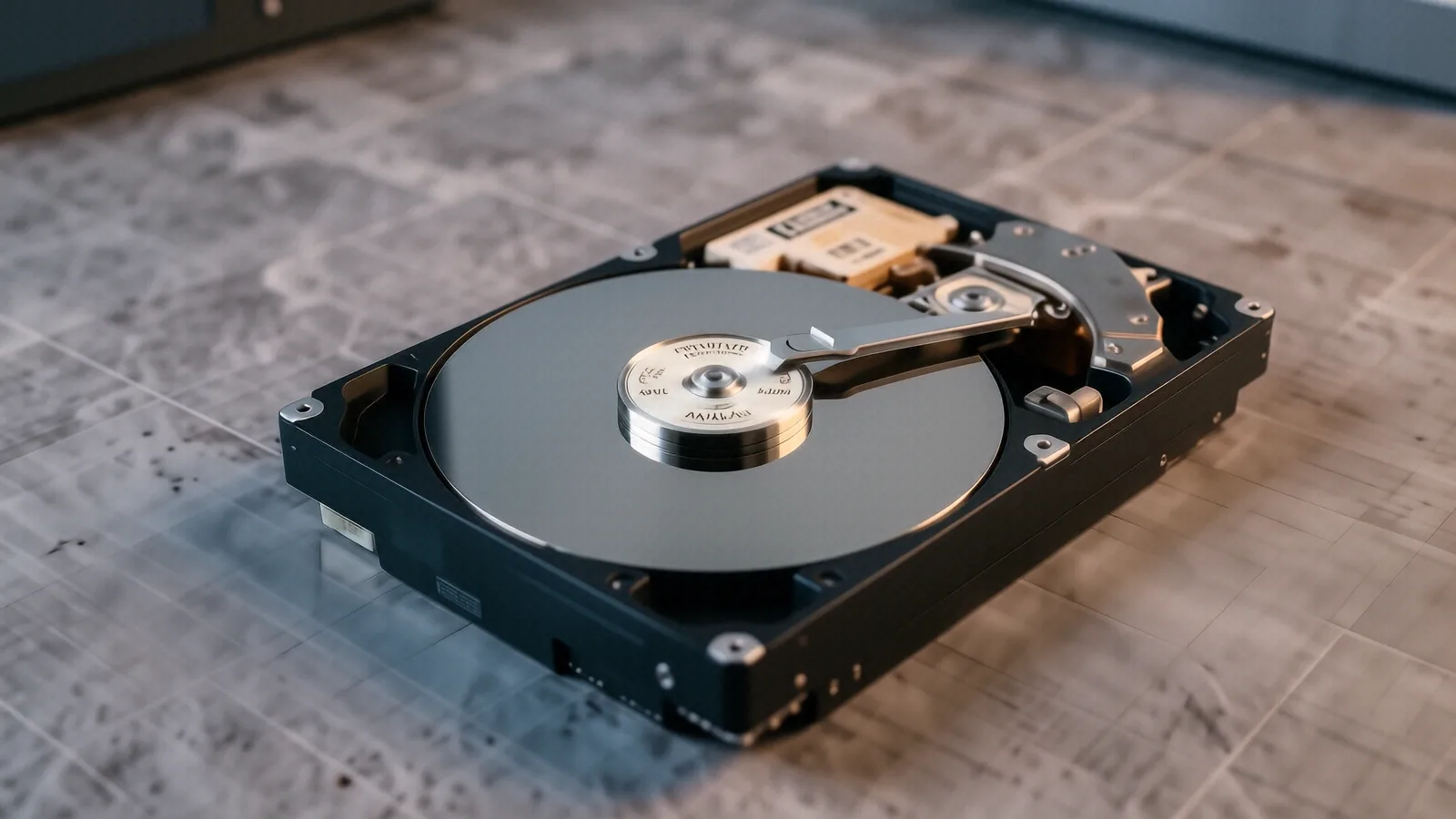
When a mechanical hard drive starts making a clicking sound, every second that the platter spins increases the chance of permanent damage. This is known as a head crash, which happens when the read/write head physically touches the spinning magnetic surface. If you take a failing Western Digital or Seagate drive to a place like Best Buy, they might try to run a standard stress test. That specific action can actually grind the platters into dust, making professional recovery impossible later.
We take a much more cautious approach during our initial intake. We look for signs of logical corruption, where the file system is scrambled but the hardware is healthy. We also check for physical failures like burnt PCB components or damaged SATA connectors. If your device is a high-end Dell XPS 13 with an NVMe SSD, the recovery process is entirely different than it would be for an older laptop with a spinning disk.
SSD recovery requires specialized tools because of how “TRIM” commands work. When you delete a file on an SSD, the controller often wipes the cells immediately to maintain speed. This makes traditional “undelete” software almost useless for modern flash storage. We use professional-grade hardware imagers to pull raw data from the chips before the controller can execute further cleanup tasks.
It is a technical process.
The Difference Between Software Glitches and Physical Failure
You might think your problem is just a simple virus or a Windows update gone wrong. While software issues are common, they rarely require “data recovery” in the professional sense; usually, that just requires a clean OS installation. Real data recovery starts when the computer cannot see the drive at all. If you plug in a USB drive and nothing happens in Disk Management, you are likely facing a hardware hurdle.
We investigate several specific failure points during our diagnostic phase:
- Failed controller chips on the PCB.
- Damaged ribbon cables inside a Surface Laptop 5.
- Corrupted partition tables on an external SSD.
If your drive is clicking or grinding, stop using it immediately. A single extra minute of power can turn a recoverable failure into a total loss. We recommend bringing the device to us in its current state so we can stabilize the drive as quickly as possible.
Serving the Wright-Patterson Community
Many of our customers come to us from the surrounding areas near Wright-Patterson Air Force Base. We understand that for military families and contractors, losing access to tax documents, family photos, or work files is a massive headache. Whether you are living in Fairborn or commuting through Bellbrook, we provide a level of privacy and direct communication that large chains cannot match.
When you drop off your device at our Centerville location, you aren’t just a ticket number in a massive corporate database. You speak directly to the person working on your machine. We don’t hide behind a customer service representative who has never actually seen an Event Viewer log or a SMART data report. We explain exactly what we see, whether it is a failing sector on a platter or a corrupted file system header.
Large retail chains often have a “no guarantee” policy because they don’t actually know if the data can be saved. They take your money for a diagnostic fee and then tell you to call a specialist. We prefer to give you a straight answer after we have poked around the hardware.
We value your time.
Common Scenarios We Handle Regularly
You might be dealing with a laptop that won’t boot, or perhaps an SD card from a camera that suddenly shows as “unformatted.” These are common issues for photographers and students in the Bellbrook area. A typical ThinkPad T-series user might experience a sudden drive failure after a hard bump, which often dislodges the internal connection.
We see these specific problems quite often:
- Accidental formatting of a thumb drive or external disk.
- Water damage to a MacBook or smartphone.
- Sudden death of an NVMe SSD due to controller failure.
Each of these requires a different toolkit and a different mindset. For example, water damage requires an ultrasonic cleaning of the logic board to prevent corrosion from spreading. A formatted drive, on the other hand, requires bit-level imaging to find files that haven’t been overwritten yet.
The Cost of Doing It Wrong
Trying to use “free” recovery software you found online can be a dangerous gamble. These programs often write new data to your drive while they are scanning, which is the fastest way to overwrite the very files you are trying to save. If you have a drive that is acting strangely, the safest move is to power it down and let a professional handle the imaging.
We provide transparent pricing based on the complexity of the task. A simple logical recovery where we just need to rebuild a partition table is much cheaper than a physical repair involving a cleanroom environment. We don’t believe in surprise fees that appear halfway through the process.
Our goal is to get your files back without unnecessary risk. If we determine that the data is physically unrecoverable, we will tell you that upfront. We would rather lose a potential job than take your money and give you nothing but bad news.
Most repairs take between 1 to 3 business days for initial diagnostics.
Why Choose Dayton PC Repair?
We are a family-owned shop located at 264 N. Main Street, Suite C, in Centerville, OH 45459. We aren’t a giant corporation with shareholders to please; we are neighbors who happen to be very good at fixing computers. When you bring your device to us, you are supporting a local business that cares about the reputation we have built in the Miami Valley.
Our technicians have spent over twelve years on the bench dealing with every imaginable hardware failure. We have seen the transition from bulky IDE drives to the tiny, lightning-fast NVMe sticks used in today’s Surface Laptops. That experience allows us to skip the “trial and error” phase that many hobbyists or generalist techs fall into.
We know how stressful it is to see a “Disk Error” message on your screen. Whether you are a professional working from home near Bellbrook or a student at a local college, we treat every byte of data with respect. We don’t just fix the machine; we focus on the information that makes the machine useful to you.
Bring your device to us for a professional assessment.
Our shop is located at 264 N. Main Street, Suite C, Centerville, OH 45459. You can find us open Monday through Friday from 10am to 7pm. If you have questions before making the trip down OH-48, give us a call at (937) 660-4819.