Getting Your Files Back Near Huber Heights
If you are driving down from Huber Heights, our shop is about a 20-minute trip south via I-70 and I-75. You can easily reach us by following the route toward Centerville, which sits just a few miles west of the Dayton metro area. Most of our customers come to us after they realize that the big-box retailers near Troy MetroPark or the shopping centers along Fairfield Road cannot actually perform deep-level data recovery. While those large chains might offer basic software troubleshooting, they often lack the cleanroom environment or the specialized hardware required to pull data from a failing drive.
We handle the heavy lifting for you.
When your external drive stops mounting or your laptop won’t boot into Windows, the panic is real. You might see a “Disk Boot Failure” message on your Dell XPS 13, or perhaps your MacBook Pro Retina simply shows a flashing folder icon with a question mark. These aren’t just software glitches that a quick reboot can fix. Often, the physical components inside the device are actively dying. If you keep trying to power on a clicking hard drive, you might actually grind the platters and make the data permanently unrecoverable.
Why Big-Box Stores Fail at Recovery
You can find plenty of repair kiosks in the Huber Heights area, but they usually follow a very specific, limited protocol. If a technician at a major retail chain sees a mechanical failure, they will likely tell you that the drive is dead and suggest you buy a new one. They do not have the tools to bypass a failed controller board or the expertise to handle a head crash. Because they rely on shipping your device to a centralized lab, you lose control of your data during the weeks it sits in a transit warehouse.
We keep your hardware on our bench right here in Centerville.
At Dayton PC Repair, we treat every drive like a crime scene that needs careful preservation. We don’t just run a generic recovery script and hope for the best. Our process starts with a physical inspection to see if the issue is electrical, mechanical, or logical. If your NVMe SSD has a corrupted file system, we use specialized forensic software to rebuild the directory structure. If you have an older spinning hard drive with a failed motor, we have to look at much more intensive hardware-level interventions.
Common Causes of Data Loss in Ohio Homes
Data loss happens for many reasons, ranging from accidental spills to sudden power surges during a summer thunderstorm. You might be sitting near the Northview neighborhood when a lightning strike hits a nearby transformer, sending a spike through your home network that fries your computer’s power supply. This surge can travel directly into your storage controller, corrupting the data on your primary drive. Even if the laptop still turns on, the actual bits and bytes on your SSD might be scrambled beyond recognition.
Hardware failure is often a silent killer.
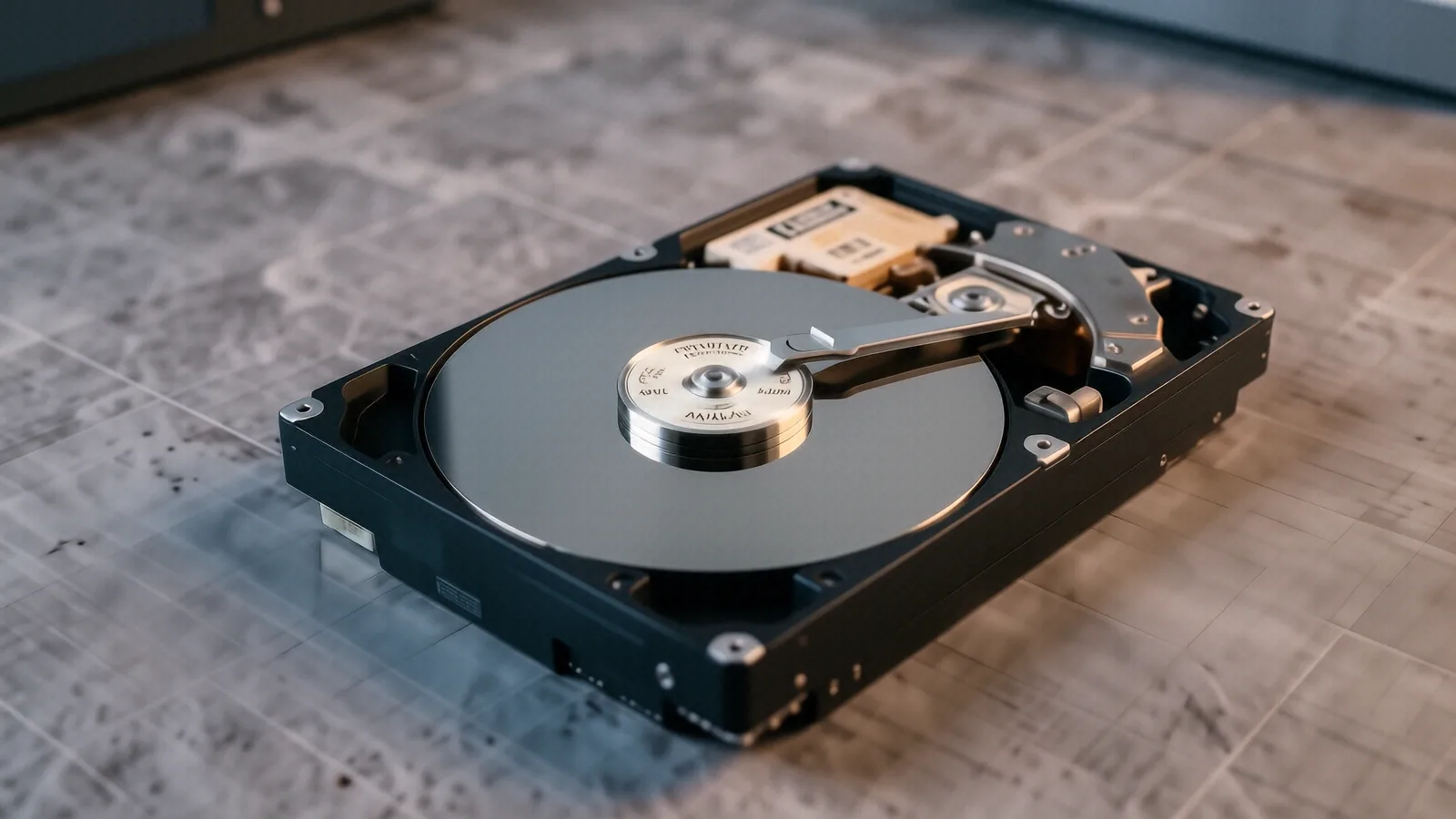
A typical HP Pavilion 15 owner might notice their computer getting extremely hot before it finally crashes. This heat is often caused by a failing cooling fan or a clogged heatsink, which eventually leads to thermal expansion that can damage the solder joints on your motherboard or the delicate components of your storage drive. When you hear a rhythmic clicking or a grinding sound coming from your machine, stop what you are doing immediately. That sound is the physical head of a hard drive hitting the spinning platter, which is essentially a wrecking ball inside your computer.
Logical vs. Physical Failures
It helps to understand exactly what went wrong so you can prevent it next time. A logical failure means your hardware is physically healthy, but the data structure is broken. This happens after an accidental format, a virus infection, or a sudden power loss while the system was writing a file. In these cases, we use bit-level imaging to copy every single sector of the drive onto a stable medium before we attempt to reconstruct your photos and documents.
Physical failures are much more serious.
A physical failure involves actual broken parts inside the drive housing. This could be a burnt PCB (Printed Circuit Board), a seized spindle motor, or damaged read/write heads. When we deal with physical failures, we cannot simply plug the drive into another computer to see what happens. Doing so would likely cause more damage. Instead, we must stabilize the hardware and use specialized tools to interface with the drive’s firmware directly.
The Risks of DIY Recovery Software
You will see many advertisements for “easy” data recovery software that promises to fix everything for $50. While these programs work well for simple deleted files on a healthy USB stick, they are dangerous for failing hardware. If your drive is physically struggling to read sectors, running an intensive scanning program will force the drive to work harder than it ever has before. This extra stress can turn a recoverable drive into a paperweight in a matter of minutes.
We prefer a cautious approach.
Instead of guessing with unproven software, we use professional-grade imaging tools that read the drive as slowly and carefully as possible. We prioritize “least-destructive” methods to ensure your files survive the recovery attempt. If you have critical business documents or years of family photos on a ThinkPad T-series or a Surface Laptop 5, the cost of a professional recovery is much lower than the cost of losing that data forever.
Our Professional Recovery Process
When you bring your device to our shop at 264 N. Main Street, we start with a formal diagnostic. We don’t give you a “maybe” or a vague estimate; we tell you exactly what we see in the SMART data and the hardware logs. This stage allows us to determine if the drive is even capable of being imaged. If the drive is too far gone for standard recovery, we discuss the advanced options available for your specific model.
We value transparency above all else.
- Initial Assessment: We check the physical connections and electrical stability of the device.
- Hardware Imaging: We create a bit-for-bit clone of your drive to a healthy destination.
- Data Extraction: We pull the files from the clone so we never work on your original hardware again.
This three-step method ensures that even if the recovery fails halfway through, your original data remains in its original state. We never work on the “live” failing drive during the actual file extraction phase. This is a standard practice for professional technicians because it minimizes the risk of total catastrophic failure during the process.
Specialized Tools for Modern Storage
Modern storage isn’t as simple as it used to be with old spinning disks. Today, most high-end laptops use NVMe SSDs that utilize complex controller algorithms to manage data across multiple NAND flash chips. If a controller on a Samsung or Western Digital SSD fails, the data is essentially locked behind a digital wall. Recovering this requires specialized knowledge of how those specific controllers map data to the physical chips.
We stay updated on these technologies.
Whether you are dealing with an older SATA drive from a desktop or a high-speed PCIe Gen4 drive from a brand-new gaming laptop, we have the equipment to interface with them. We understand the nuances between different manufacturer firmware versions and how they react to error correction attempts. This technical depth is why local professionals choose us over generalist repair shops that only handle screen replacements or battery swaps.
Protecting Your Data Moving Forward
Once we successfully return your files, you should take steps to ensure this doesn’t happen again. A single backup is not a backup strategy. You need at least two different copies of your most important data kept in two different locations. For example, you might keep one copy on an external drive in your office and another copy in a secure cloud storage service. This protects you from both hardware failure and local disasters like fire or theft.
Redundancy is your best friend.
If you use a NAS (Network Attached Storage) system, ensure you are using a RAID configuration that allows for at least one drive to fail without losing data. While RAID provides uptime, it is not a replacement for a true off-site backup. We often recommend specific hardware and software solutions to our customers so they can sleep better knowing their digital life is safe.
If your device is showing signs of failure, do not wait for it to die completely. Every minute a failing drive stays powered on decreases the chances of a successful recovery. Bring your laptop or hard drive to Dayton PC Repair at 264 N. Main Street, Suite C, Centerville, OH 45459. We are open Monday through Friday from 10am to 7pm to help you through this.