Recovering Lost Files Near Miamisburg
If you are driving down OH-725 from Miamisburg toward Centerville, our shop is only about a 12-minute trip away. Most of our customers come to us from near the Miamisburg Municipal Park or the historic downtown area because they need professional help that a big-box store cannot provide. While you might see a Best Buy or a Staples in the general area, those retail chains usually just act as a middleman for their mail-in services. They take your drive, slap a sticker on it, and ship it to a massive warehouse where you never see the technician. At Dayton PC Repair, we handle the actual diagnostic work right here at our bench in Centerville.
Losing your data feels like a crisis. Whether it is a sudden mechanical failure on an external Western Digital drive or a corrupted partition on your MacBook Pro, the panic is real. We focus on getting your files back without the corporate runaround.
Why Big-Box Stores Fail at Data Recovery
When you walk into a major retailer in Miamisburg, you are often talking to a generalist. They can swap out a broken screen on an HP Pavilion 15 or replace a keyboard, but they aren’t data recovery specialists. If they encounter a drive with clicking sounds or a failing NVMe SSD, their standard procedure is to tell you to send it away for a fee that often exceeds the value of the hardware. This process can take weeks because the device has to travel through multiple shipping hubs before a real technician even looks at the SMART data.
We do things differently. Because we own our tools and our workspace, we can start the diagnostic process immediately after you drop off your device. You don’t have to wait for a third-party logistics company to check in your package. We look at the hardware ourselves to determine if the issue is logical, such as a file system error, or physical, like a damaged head assembly.
Local residents near Ship Day Drive or the Springboro border often prefer our direct approach. You get a straight answer about what is possible instead of a vague “we’ll let you know” email three weeks later. We provide clear estimates based on the actual state of your storage media.
Logical vs. Physical Failures
Understanding the difference between these two problems helps you manage your expectations during the recovery process. A logical failure means your hardware is physically healthy, but the software layer is broken. This happens when a Windows update goes wrong or an accidental format wipes your partition table. We can often fix these issues by using specialized software to rebuild the file structure or bypass corrupted sectors on the disk.
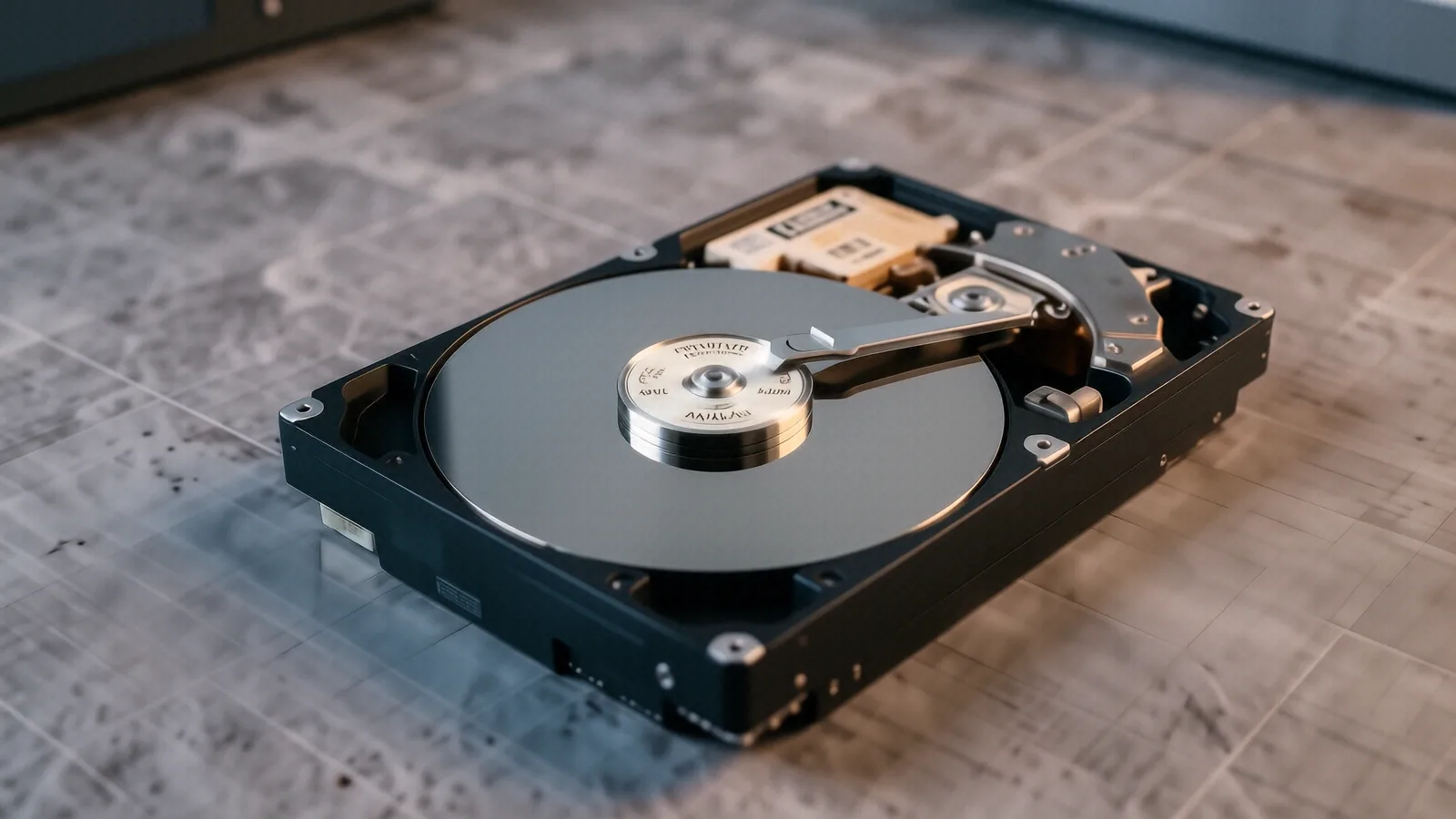
Physical failures are much more serious. If you hear a repetitive clicking sound coming from your Seagate external drive, stop plugging it in immediately. That sound usually indicates that the read/write heads are physically striking the platters, which can scrape the magnetic coating off and destroy your data forever. In these cases, we have to work in a controlled environment to prevent further damage to the internal components of the drive.
The Risks of DIY Recovery Software
You might be tempted to download a “free” recovery tool from a random website to try and fix the problem yourself. While some software works well for minor accidental deletions, using these tools on a failing drive can actually kill it. If your SSD is struggling with cell degradation or your HDD has bad sectors, every minute the drive is powered on increases the chance of total failure.
A typical mistake involves running intensive scan operations on a drive that is already physically unstable. These programs put immense stress on the motor and the controller, which can turn a recoverable situation into a permanent loss. We use professional-grade hardware imagers that read data much more gently than consumer software does. This controlled approach maximizes the amount of data we can pull before the drive gives up entirely.
Specialized Services for Different Devices
Not all storage media is created equal, and our technicians treat them accordingly. A MacBook Pro Retina uses different architecture than a standard Dell XPS 13, especially when it comes to how the data is encrypted by the T2 security chip or Apple Silicon. We understand these nuances so that we don’t accidentally trigger a lockout during the recovery attempt.
SSD and NVMe Recovery
Solid State Drives (SSDs) present a unique challenge compared to old-fashioned spinning hard drives. Because of a process called TRIM, an SSD may actively “clean up” deleted data in the background to maintain performance. This means that once you delete a file on a modern NVMe SSD, the window for recovery is much smaller than it was on an older mechanical drive. We use specialized techniques to attempt to bypass the controller and access the NAND flash chips directly when possible.
Mobile and Tablet Data
If your data is trapped on a mobile device rather than a laptop, the complexity increases. We see many customers who have lost photos or contacts due to a broken digitiser or a cracked screen that prevents them from entering their passcode. While we focus heavily on computer-based recovery, we can often assist with hardware repairs that allow you to access your device and back up your files manually.
RAID and Server Recovery
Small businesses in the Miamisburg area often rely on RAID arrays for their local servers or Network Attached Storage (NAS) units. When one drive in a RAID 5 configuration fails, the entire array becomes vulnerable. If a second drive shows signs of instability, you are looking at an imminent total data loss. We have the experience to handle multi-drive rebuilds and can help you navigate the complexities of parity-based storage systems.
Preparing Your Device for Repair
Before you make the trip down to our shop on N. Main Street, there are a few things you should do to protect your remaining files. First, stop using the device immediately. Every time you save a new file or even browse the web, the operating system writes new data to the disk, which might overwrite the very files you are trying to save.
If the computer still boots into Windows or macOS, do not attempt to run a “disk repair” utility like chkdsk or Disk Utility’s First Aid. These tools are designed to fix the file system so the OS can work, but they often do so by deleting “corrupt” files that actually contain your precious data. It is much better to leave the drive in its current state and let a professional handle the imaging process.
If you are bringing in an external drive, try to bring the original USB cable as well. Sometimes a “dead” drive is actually just a faulty cable or a worn-out SATA-to-USB bridge inside the enclosure. We can test the drive on our internal controllers to rule out these simple connection issues before we move to more expensive recovery methods.
Our Commitment to Miamisburg and Centerville
We aren’t a massive corporation with shareholders to please, so our priority is simply doing right by our neighbors. When you bring your ThinkPad or your Surface Laptop 5 to us, you are talking to the person who will actually be working on it. We don’t hide behind automated ticketing systems or generic customer service scripts.
We know that for many of our customers, the data on these drives represents years of family photos or critical business documents. We treat every drive with that level of respect. Whether you are coming from near the Miamisburg airport or driving in from the West Carrollton area, we aim to provide a service that is transparent and technically sound.
Our shop is located at 264 N. Main Street, Suite C, Centerville, OH 45459. We are open Monday through Friday from 10am to 7pm. Please bring your device by during our business hours so we can begin a formal diagnostic and give you an accurate assessment of your recovery options.